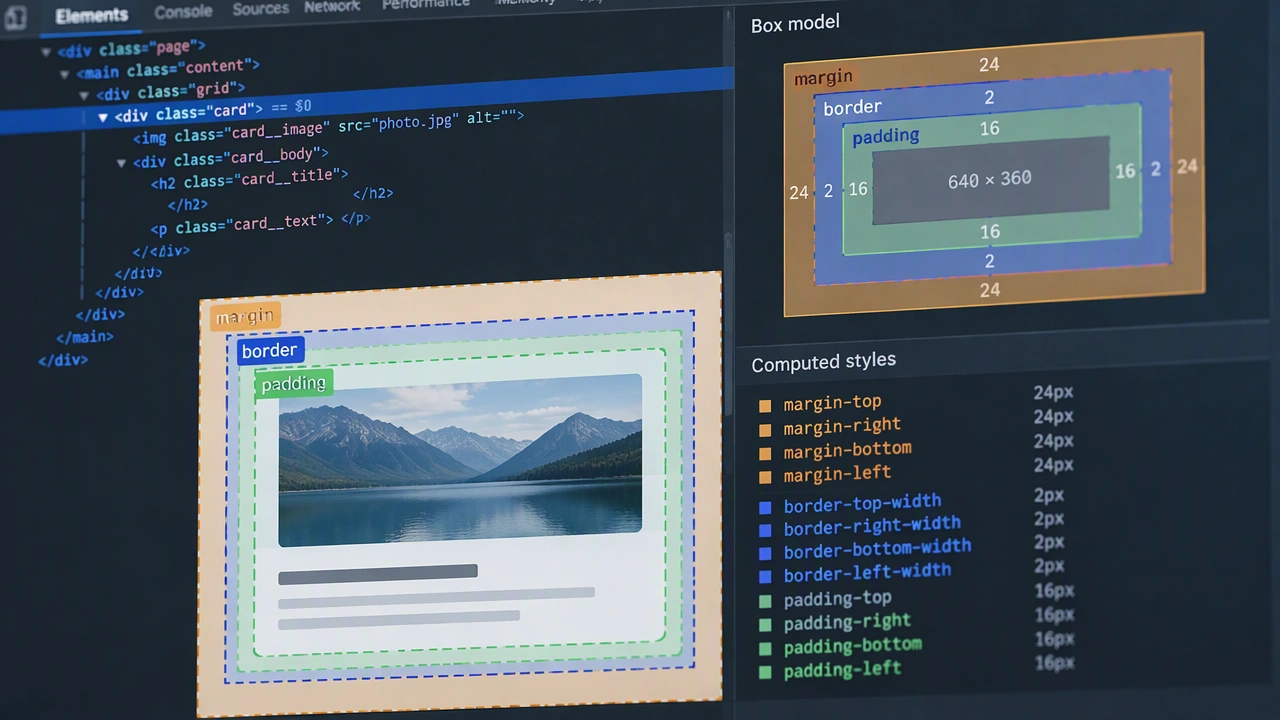
The CSS box model is the foundation of how every element gets its shape, and understanding it clearly helps you avoid frustrating layout issues. Each element is a box with content, padding, border, and margin, and those layers affect spacing in different ways. Using box-sizing: border-sizing: border-box simplifies calculations because width and height include padding and border. When you forget this detail, elements overflow containers or create unexpected gaps. In real layouts, the box model influences how cards stack, how inputs align with labels, and how sections breathe on the page. Learning to inspect computed styles in browser tools gives you confidence to fix problems quickly. This topic explains how the box model interacts with Flexbox and Grid, how margin collapse works, and how consistent spacing tokens can make your design system predictable. If you want your pages to feel intentional rather than accidental, start with the box model and master the basics first.